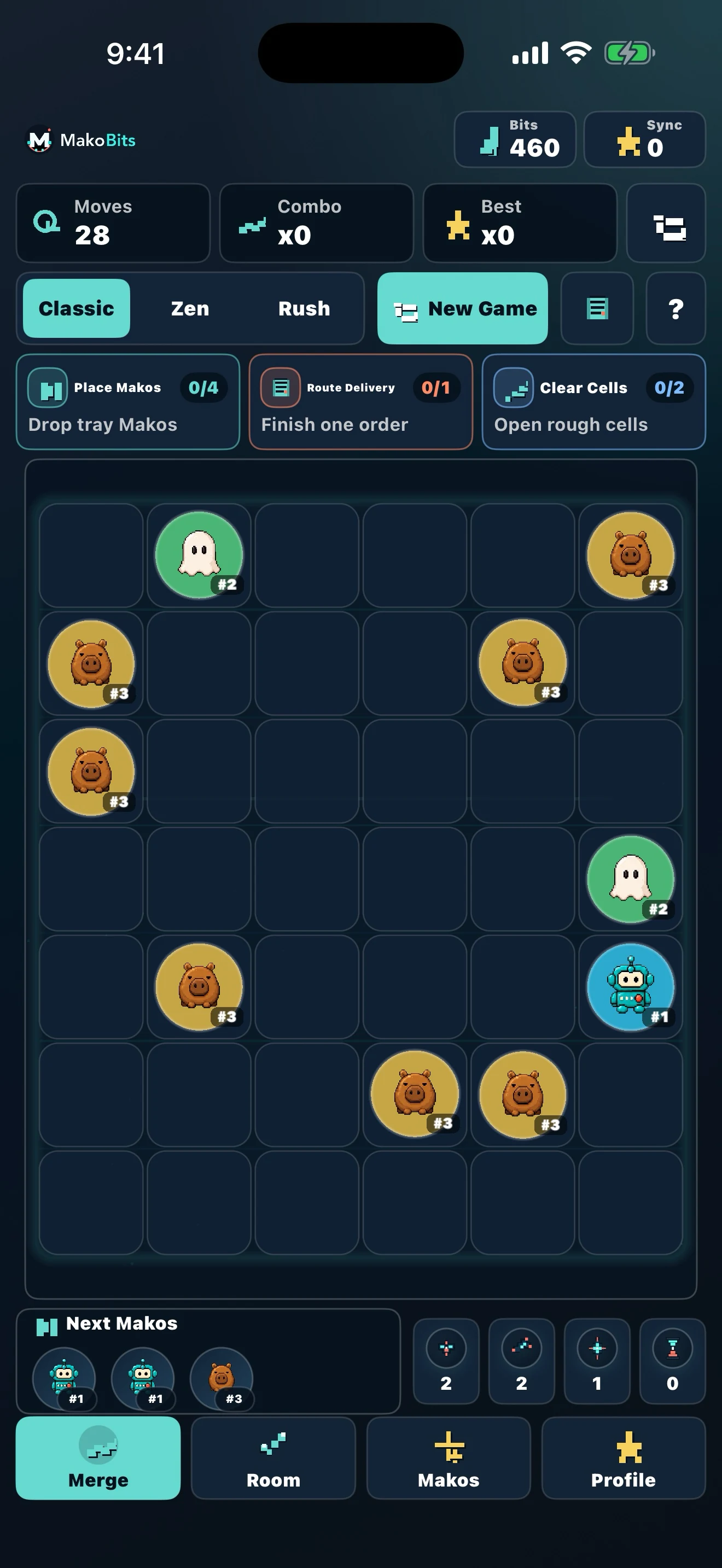
MakoBits is a merge and collection game for iPhone and iPad. You merge matching pieces, complete orders, and turn each evolution into Makos, rooms, and items across one connected world. This guide shows the first loop to try. It keeps the routine practical without treating a beginner routine as a promise about a particular level or result.
The useful shift is to stop seeing the board as the whole game. A crowded board can hide the reason for a merge, while a quick visit to the current orders, the Mako Archive and the room makes the next decision easier to understand. Start with one deliberate chain, keep some space available, and follow each meaningful change into the wider collection.
What you are working toward
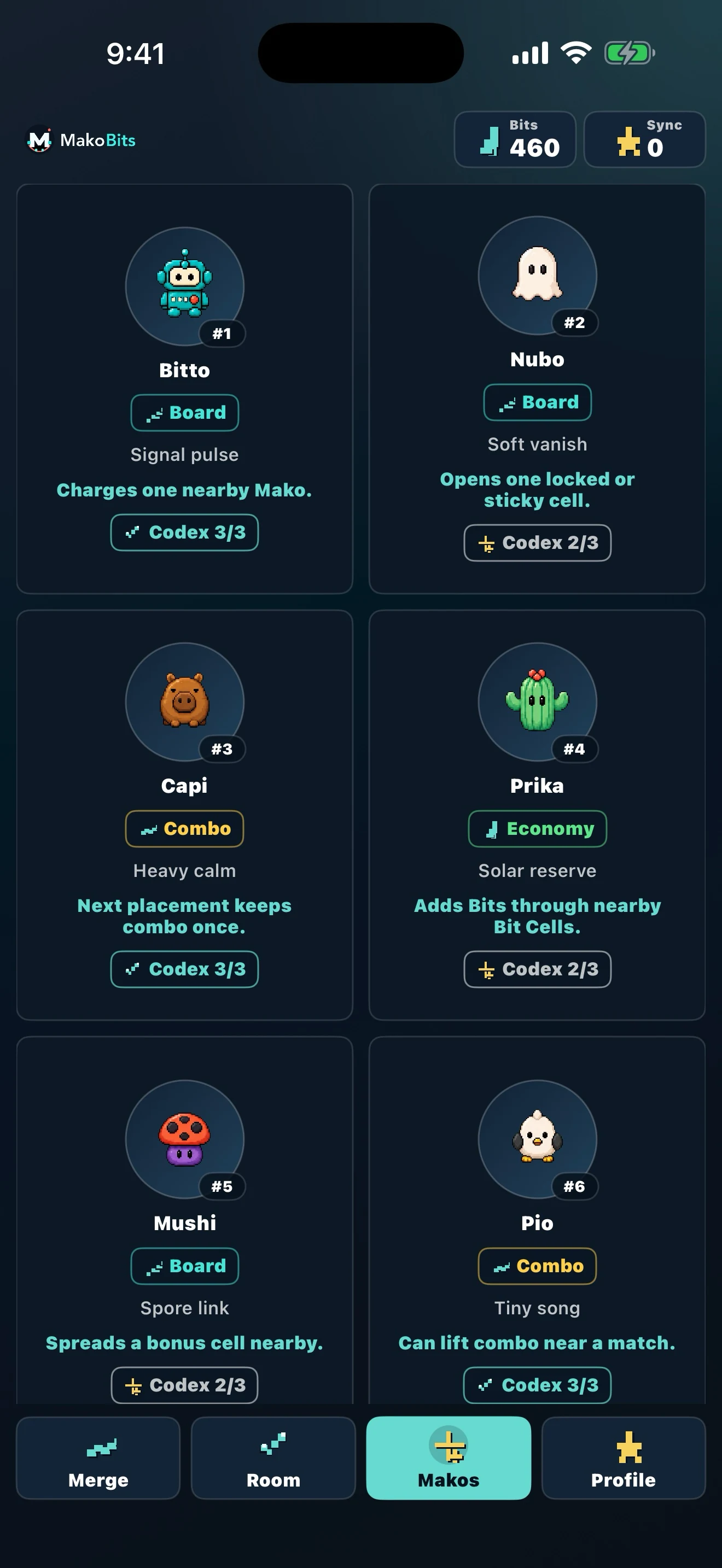
The current public archive contains 60 named Makos across creature and artifact categories. A record can include type, rarity, origin, power, ability, personality, likes, friends and rivals. Those fields are there to help you inspect a discovery rather than guess what it does. The board is the starting point rather than the whole game: its matching pieces and orders connect to the collection, rooms, profiles and items beyond it.
The loop in 4 steps
1. Merge matching pieces
Combine equal objects on the board to produce the next evolution. Before placing a piece, look at the surrounding space and decide which chain you are actually advancing. Keeping low-level generators and active merge chains in separate zones makes the next move easier to see. It also leaves room to move a nearly complete chain instead of locking it behind unrelated objects.
Do not read “largest possible piece” as the only goal. A smaller result may be the one that answers a current order, preserves a useful position or opens the next decision. The right move depends on the orders and pieces visible in your current board state.
2. Complete orders
Read the current orders before spending scarce board space. Choose an order goal deliberately, then check whether the chain you are about to extend contributes to it. Orders turn board progress into rewards and give each chain a reason beyond making a larger piece.
If two goals compete, keep one as the main target and pause the other unless the next merge helps both or the second goal is already close. That is a practical space rule, not a hidden game formula. Re-score after the board changes; a move that looked useful before a merge may no longer be the best use of the next open tile.
3. Discover Makos
New discoveries enter the Mako Archive. Open the record when it appears, use the visible filters and inspect the details instead of relying on memory. The archive is where a board result becomes a named part of the collection: the public game surface shows categories such as All, Creatures, Artifacts and Rare, along with record details and connections.
The first record is useful as a habit-setting example. Open it, note what the record actually shows, and then return to the board with a clearer idea of what you are collecting. Do not assume that an unshown field, rarity or relationship exists just because another record has one.
4. Unlock their world
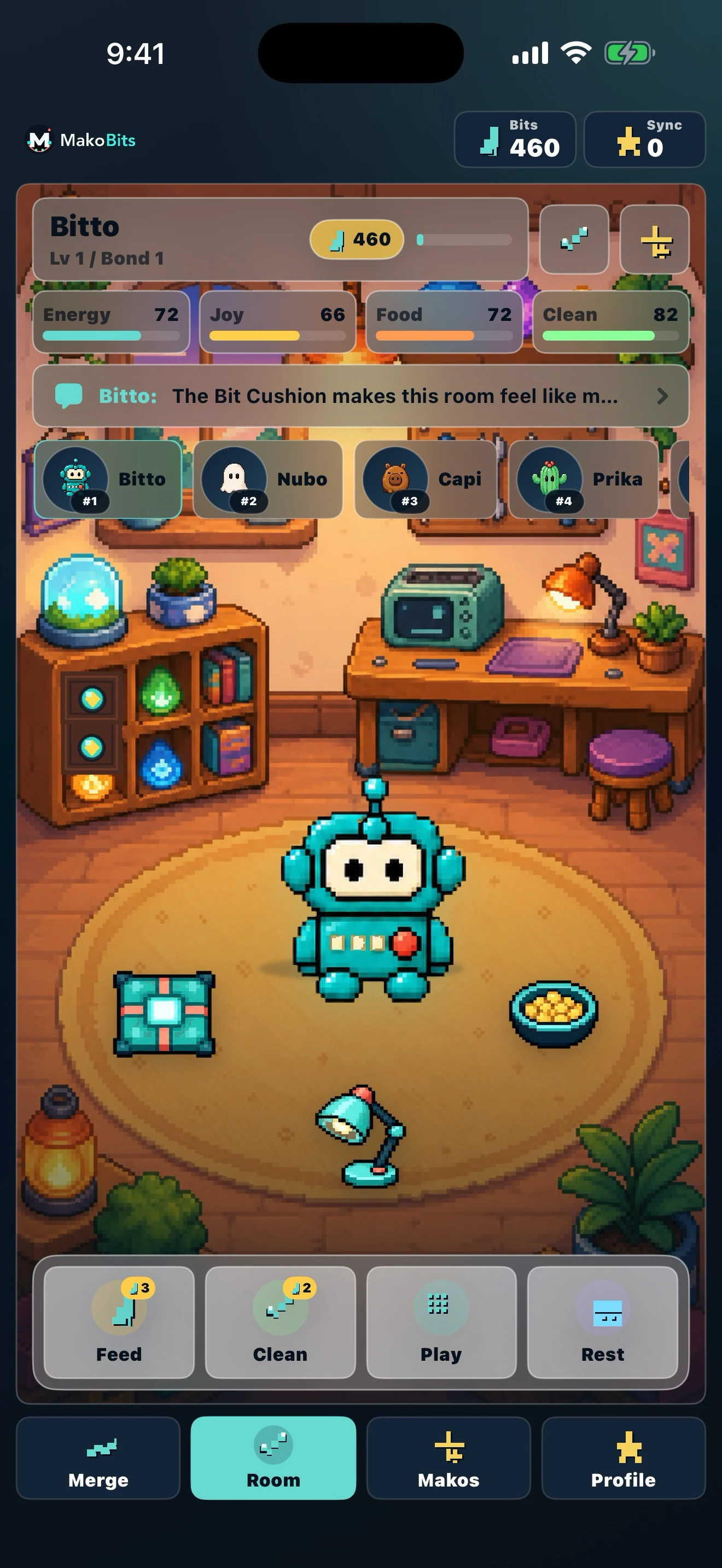
Progress leaves the board and appears in rooms, scenes, care routines, profiles and collectible items. Check the room and profile after a meaningful evolution so you can see what changed. This is the part that makes MakoBits more than a board-only puzzle: the merge creates the decision, while the wider world gives the discovery a place and a set of details to revisit.
A calm first 15 minutes
Use this as a short orientation, not a required route:
- Try three merges in one chain and leave an empty row for movement.
- Read two current orders; complete only the one you can already fill.
- Open the Mako Archive after each new discovery and try its visible filters.
- Visit Room and Profile once to see what the evolution changed.
- Open Bit Shop to read the available boosts without assuming you need one.
Illustrative example — not a game promise: imagine that two identical low-level parts are on the board. You merge them, clear one tile, deliver the result to an order that asks for that level, and then open the Archive to see whether a new record appears. The example describes a way to observe a loop; it does not claim that a particular level, reward or discovery will happen every time. If no new record appears, you still made a deliberate board-space and order-progress decision.
Merge game or virtual-pet game?
It uses both ideas, but the merge board drives progression. Players who want a short puzzle loop can focus on the board and orders. Collectors can spend more time in the archive, rooms and profiles, where named Makos and their visible connections give the resulting pieces a wider context. You do not need to choose one identity for the game; choose how deeply to follow each discovery.
What to check before downloading
Use the official MakoBits App Store listing for the current compatibility, version and regional availability details. The listing checked for this guide identifies MakoBits and includes iPhone and iPad device families, but those details can change. Check the listing again on the device and storefront you plan to use rather than treating this guide as a compatibility guarantee.
For the on-site next step, explore all 60 Makos, then return to the board and continue merging at your own pace. The aim of the first session is not to rush through the archive; it is to learn how one careful merge can connect board space, an order, a named discovery and the world around it.